
How to Personalize Cold Emails at Scale Using AI Without Losing Quality
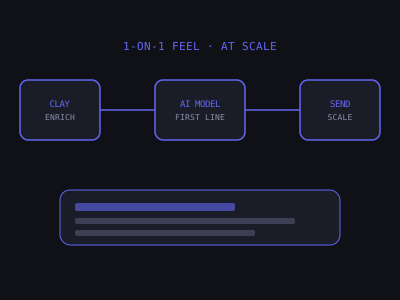
Mass cold email with zero personalization is dead. Inbox providers filter it, recipients ignore it, and reply rates for generic blasts are typically under 1%. But fully manual personalization — spending 15-30 minutes researching and writing every single email — doesn't scale. An agency sending 500 cold emails per week would need a full-time team member doing nothing but prospect research and custom writing. At $25/hour, that's over $2,000 per month in labor just for email personalization — before you factor in list building, sending infrastructure, or actual delivery.
The solution is AI-powered personalization at scale: a system that uses data enrichment tools, large language models, and prompt engineering to automatically generate personalized email content that reads like it was written specifically for each individual recipient. When done correctly, AI-personalized cold emails generate reply rates indistinguishable from fully manual outreach. The agencies running this system spend 2-3 hours per week managing a pipeline that produces the same output as 40+ hours of manual work.
This guide walks through the exact system — from tooling to prompt engineering to quality control — that agencies use to send thousands of individually personalized cold emails every month without sacrificing the quality that gets replies.
What "Personalization at Scale" Actually Means
Personalization in cold email exists on a spectrum. At one end is first-name merge tags — barely personalized and no longer differentiating. At the other end is fully researched, hand-written emails that reference specific details about the prospect's business, their recent activity, and their likely pain points. The goal of AI personalization at scale is to consistently operate at the upper-middle of that spectrum for every email in your list.
To understand why this matters, consider how a busy business owner processes their inbox. They scan subject lines and the first few words of each email in their preview pane. If the opening sentence looks like a template — something they've seen a hundred times before — they delete it without opening. But if the first line references something specific about their business, their brain registers it as a real message from someone who actually looked at their company. That split-second judgment is the entire game of cold email. Everything else — your offer, your CTA, your follow-up sequence — depends on winning that first moment of attention.
The elements that matter most for effective personalization, ranked by impact on reply rate:
- Personalized first line (highest impact) — A single sentence specific to that prospect's business, not a template variable. This is what AI excels at generating when fed the right data.
- Niche-specific pain point — Pain framing that matches the specific industry and role of the recipient. A dentist cares about no-shows and chair utilization. A roofer cares about lead response time and estimate conversion. Using the right pain language signals that you understand their world.
- Relevant case study or result — An outcome for a similar business type in a similar context. Saying you helped a dental practice reduce no-shows by 35% is far more compelling to a dentist than a generic claim about business automation.
- Company or prospect name (lowest marginal impact) — Necessary but no longer differentiating on its own. Every mass email tool can merge first names. It sets a baseline but doesn't move the needle.
The critical insight is that only the first element — the personalized first line — requires unique data per prospect. The niche-specific pain point and case study can be templated per industry segment. This means you only need AI to generate one sentence per prospect, not an entire email. That constraint is what makes the system both scalable and high-quality.
Cold Email Reply Rates by Personalization Level
The AI Personalization Stack: Tools You Need
Building an AI personalization system requires three categories of tools working together: a data enrichment layer, an AI generation layer, and your sending infrastructure. Each layer has a specific job, and the quality of the final output depends on how well these layers integrate.
Clay ($149-$800/month depending on credits): The most powerful data enrichment platform for cold outreach in 2026. Clay can pull data from dozens of sources simultaneously — LinkedIn profiles, company websites, Google Maps listings, job postings, news mentions, review platforms, and more — and then feed that data directly into AI prompts to generate personalized content. Most advanced cold email operations run on Clay. The platform functions like a programmable spreadsheet where each row is a prospect and each column can be populated by an enrichment action, an AI generation step, or a formula. You can chain enrichments together — for example, scrape a company website, extract the main services mentioned, then feed those services into an AI prompt alongside the prospect's LinkedIn headline to generate a contextual first line.
OpenAI / Claude API: The AI generation engine. Both are available via API and integrate directly with Clay. Claude performs better for natural-sounding, conversational first lines. GPT-4o is slightly faster and cheaper at high volume. Test both for your specific use case. In practice, the difference in output quality between the two models is smaller than the difference caused by a good prompt versus a mediocre one. Your prompt engineering matters more than your model choice. Budget approximately $0.01-0.03 per prospect for API costs depending on the model and prompt length.
Apollo.io or LinkedIn Sales Navigator: For building the initial prospect list with the structured data fields that Clay enrichment needs. Apollo is particularly useful because it provides verified email addresses alongside firmographic data, so you can export a list that's ready for both enrichment and sending. Sales Navigator is better if your ICP requires more precise filtering by job function, seniority, or company attributes that Apollo doesn't index well.
Instantly or Smartlead: The sending platform. Both accept custom variables from Clay exports and support dynamic field insertion in email templates. Instantly is generally better for agencies managing multiple client campaigns due to its workspace structure. Smartlead has a slight edge on deliverability features. Either one works — the sending tool is the least differentiating part of the stack. What matters is that it accepts your custom AI-generated variable and inserts it cleanly into the email body.
Step-by-Step: Building Your AI Personalization Workflow
Step 1: Build a Structured Prospect List
Start in Apollo.io or a similar data platform. Build a filtered list of prospects with the following minimum fields populated: first name, last name, company name, company website, job title, company size, city/state, and industry. Export to CSV. The quality of your personalization is limited by the quality of your input data — clean, accurate lists produce significantly better AI output.
When building your list, segment by industry or business type before exporting. A list of 500 mixed prospects (dentists, roofers, lawyers, restaurants) will require a different AI prompt and different pain-point framing for each segment. It's far more efficient to run separate personalization campaigns per niche — 200 dentists, 150 roofers, 150 HVAC companies — because you can tailor the non-personalized parts of the email (the pain point, the case study, the CTA) to each segment while the AI handles the individual first lines.
Aim for lists of 200-500 prospects per segment. Smaller than 200 and the setup time for the Clay workflow isn't justified. Larger than 500 and you risk hitting enrichment rate limits or generating more emails than your sending infrastructure can handle in a given campaign window.
Step 2: Import Into Clay and Configure Enrichment
Import your prospect CSV into Clay. Then configure enrichment waterfalls to pull additional signals for each prospect. Useful enrichment sources for AI personalization include:
- Company website scrape — Clay can scrape homepage text and extract value propositions, services, and recent news. Configure this to pull the first 500-1,000 words from the homepage. This gives the AI context about what the company actually does beyond what Apollo's industry tag says.
- LinkedIn company page — Recent posts, company size changes, job postings (a company hiring a customer success manager signals growing inbound volume). This is especially valuable for B2B prospects where LinkedIn activity is consistent.
- Google Maps / Yelp reviews — Review volume, rating, and recent review themes are excellent personalization signals for local businesses. A dental practice with 47 five-star reviews gives you different personalization material than one with 12 reviews and a 3.8 rating. The AI can reference their strong reputation or acknowledge their growth.
- LinkedIn personal profile — Recent posts, tenure at the company, previous roles. If the prospect posted about a challenge or achievement in the last 30 days, that's premium personalization material.
- News mentions — Recent press coverage or press releases. This is less commonly available for small local businesses but extremely valuable for mid-market prospects.
Configure your enrichment as a waterfall: try the highest-value source first, and if it returns empty, fall back to the next source. For example, try LinkedIn personal profile first (best signal), then Google Maps reviews (strong for local businesses), then company website scrape (reliable fallback). This ensures every prospect gets at least some enrichment data, even if the best sources are unavailable.
Create a "best_signal" column in Clay that consolidates the highest-value enrichment result into a single field. Use a Clay formula to prioritize: if LinkedIn post exists and is less than 90 days old, use that. Otherwise, if Google review themes exist, use those. Otherwise, fall back to the website summary. This single column becomes the primary input to your AI prompt.
Step 3: Write Your AI Prompt
This is the most critical step. Your AI prompt determines the quality of every personalized first line. A poorly written prompt produces generic, robotic outputs regardless of how good your enrichment data is. A well-crafted prompt produces first lines that are indistinguishable from something a thoughtful human would write after five minutes of research.
Here is a template prompt that works well for AI automation agencies targeting local businesses:
"You are writing the opening sentence of a cold outreach email from an AI automation agency. The goal is to write a single sentence (15-25 words) that shows you've looked at their specific business and makes them curious to read on. Do not mention AI or automation in the first sentence. Do not be flattering or generic. Use the following data about the prospect: Company name: [company_name]. Industry: [industry]. Services/products: [website_summary]. Location: [city]. Recent activity: [linkedin_post or review_theme or job_posting]. Write only the opening sentence, nothing else."
The key elements of a good personalization prompt: specific output length, specific tone guidance, explicit instruction on what NOT to say, and multiple input data fields to draw from.
Here are additional prompt techniques that improve output quality significantly:
- Include 2-3 example outputs in the prompt. Show the AI what a good first line looks like for your niche. For example: "Good example: Saw you just opened a second location in Scottsdale — scaling a dental practice that fast usually means the phones are ringing nonstop. Bad example: I noticed your impressive dental practice and would love to connect." Few-shot examples are the single most effective way to improve AI output consistency.
- Add a fallback instruction. Tell the AI what to do when the enrichment data is thin: "If the recent activity field is empty, write a first line based on the company's services and location instead. If both are empty, output SKIP." The SKIP flag lets you catch and handle prospects with insufficient data rather than sending a weak personalized line.
- Specify what to avoid. List phrases that sound robotic or overused: "Do not use any of these phrases: I noticed, I came across, I was impressed by, I see that, It looks like, I stumbled upon." These are the hallmarks of AI-generated cold email that recipients have learned to spot.
- Constrain the format. "The sentence must be a statement or observation, not a question. Do not start with the word I. Do not include a compliment." These constraints force the AI to produce more creative, less predictable outputs.
Test your prompt on 20-30 prospects before running it across the full list. Read each output and ask: would I open this email if I received it? If more than 20% of outputs feel generic or robotic, revise the prompt before scaling.
Step 4: Quality Control at Scale
Before importing AI-generated first lines into your sending tool, run a quality check. Even the best prompts produce bad outputs 5-15% of the time. The most common failure modes are:
- Generic outputs when the enrichment data was empty or low quality
- Outputs that are too long or include the prohibited phrases from your prompt
- Outputs referencing incorrect information due to enrichment errors
- Outputs that are technically accurate but sound robotic
- Hallucinated details — the AI invents a fact that sounds plausible but isn't true about the prospect
Build a Clay formula that flags low-quality outputs: if the AI first line contains certain phrases ("I noticed your company", "I came across your profile", "I see that your business") or is over 30 words, mark it for manual review. Replace flagged lines manually. This hybrid approach — AI for the bulk, human review for edge cases — delivers both scale and quality.
Create a "quality_score" column with these rules: flag as "review" if the output contains any banned phrase, if it exceeds 30 words, if it starts with "I", if the enrichment source was empty, or if the output contains the word SKIP. Everything else gets marked "approved." In a typical batch of 500 prospects, expect 50-75 to need manual review. That's 20-30 minutes of human work to quality-check the entire batch — compared to the 40+ hours it would take to manually personalize all 500 from scratch.
For the flagged outputs, you have three options: rewrite the first line manually (takes 30-60 seconds per prospect), re-run the AI generation with a modified prompt or different enrichment data, or remove the prospect from the campaign entirely if there's not enough data to personalize effectively. Removing weak prospects is underrated — sending a generic email to someone damages your domain reputation more than skipping them entirely.
Step 5: Template Structure With AI Variable Insertion
Your email template uses standard personalization variables alongside the AI-generated first line. Here is a template structure that performs well for AI automation agencies:
Hey {first_name},
{ai_first_line}
I've been building AI follow-up systems for {industry} businesses that [specific outcome relevant to niche]. [One sentence case study result for similar business type].
Would it be worth 15 minutes to see how it works for {company_name}?
— {your_name}
Notice the structure: the AI only generates the first line. The rest of the email is human-written, niche-specific copy that you craft once per industry segment and reuse across every prospect in that segment. This is intentional. AI-generated body copy tends to sound more generic and less persuasive than copy written by a human who deeply understands the niche. The AI's job is to earn the open and create the impression that you researched the prospect. The template's job is to communicate your value proposition clearly and drive a specific action.
Write 3-5 variants of the template body for each niche to enable A/B testing. Keep the AI first line constant across variants so you can isolate which body copy converts better. Once you identify the winning body variant, lock it in and focus your optimization efforts on improving the AI prompt and enrichment quality.
Advanced: Multi-Signal Personalization
Once your basic workflow is running and producing consistent results, you can layer in more sophisticated personalization techniques. Multi-signal personalization means feeding the AI two or three data points about a prospect instead of just one, and instructing it to weave them together into a more contextual first line.
For example, instead of just using a Google review theme, you combine it with the prospect's location and a recent job posting. The AI prompt receives: "Company has 127 Google reviews averaging 4.8 stars, is based in Austin TX, and recently posted a job for a front desk coordinator." The resulting first line connects these signals: "127 reviews and still growing fast enough to need another front desk hire — Austin clearly loves what you're doing at [company]."
Multi-signal first lines outperform single-signal lines because they demonstrate deeper research. The prospect reads it and thinks: this person actually looked at my business, my reviews, and my hiring page. That level of perceived effort builds instant credibility that a single-signal first line cannot match.
To implement this in Clay, create a "combined_signal" column that concatenates your top 2-3 enrichment fields with labels. Feed this concatenated field into your AI prompt. Adjust the prompt to instruct the AI to reference multiple signals naturally in a single sentence without making it feel forced or overloaded.
Benchmarks: What AI Personalization Actually Achieves
Here's what to expect from a well-built AI personalization workflow compared to generic templates:
- Generic template (first name only): 1-4% reply rate, 25-40% open rate
- Basic personalization (niche-specific copy, no individual research): 4-8% reply rate, 40-55% open rate
- AI-personalized (custom first line + niche copy): 8-18% reply rate, 50-65% open rate
- Fully manual (deep research, entirely custom): 15-30% reply rate, 60-75% open rate
AI personalization gets you roughly 70-80% of the result of fully manual outreach at 5-10% of the time cost. For agencies sending to hundreds or thousands of prospects per month, the math is compelling.
Here's the math in practice. Suppose you send 2,000 AI-personalized cold emails per month. At a 12% reply rate, that's 240 replies. If 30% of replies convert to booked calls, that's 72 discovery calls. If 25% of calls convert to clients at an average deal value of $2,000/month, that's 18 new clients generating $36,000 in monthly recurring revenue. Your total cost for the personalization system — Clay credits, API costs, sending tool, and 3 hours per week of human time — runs approximately $500-800/month. The ROI is not incremental. It's transformational.
Track these metrics weekly to diagnose issues in your pipeline: open rate (tests subject line and deliverability), reply rate (tests personalization and offer relevance), positive reply rate (tests targeting and messaging fit), and meeting book rate (tests CTA and follow-up sequence). If your open rate is above 50% but your reply rate is below 5%, the problem is your email body or offer — not your personalization. If your open rate is below 40%, the problem is likely deliverability or subject lines, and personalization improvements won't help until you fix the upstream issue.
For the next step in scaling your cold outreach, see our guide on how to use Apollo.io for local business cold email campaigns and how to build a cold email lead list from scratch for free.
Best Data Signals for AI-Personalized First Lines
Before running any cold email campaign, make sure your sending infrastructure is ready. See our guide on how to warm up an email domain for cold outreach. For understanding why your emails might land in spam, read why your cold email reply rate is low and how to fix it. And for signal-based targeting that improves your list quality, check out signal-based cold email outreach.
Common Mistakes That Kill AI Personalization Quality
- Using AI personalization on unverified data. If your enrichment pulled the wrong website or the wrong LinkedIn profile, your "personalized" line is actually inaccurate — which destroys trust. A first line that references something incorrect about the prospect's business is worse than no personalization at all. Always spot-check 10-15 enrichment results before running AI generation on the full list.
- Personalizing around irrelevant signals. Mentioning someone's LinkedIn post from 8 months ago is not relevant. Only use signals from the last 90 days. Stale personalization signals that the email was probably automated and just pulled whatever data was available rather than reflecting genuine research.
- Over-personalizing in a way that feels invasive. Referencing deeply personal details (family photos, personal social media) crosses a line even if the data is public. Stick to professional, business-related signals: their company, their services, their public business reviews, their professional LinkedIn activity. The goal is to seem informed, not surveillance-level aware.
- Letting the AI write the entire email. AI works best for the first line. The rest of the email should be templated, human-written copy that converts. Don't let AI write your pitch — it's rarely as good as what a skilled human writes. AI-generated body copy tends to be longer, less direct, and weaker on calls to action than a tight, human-crafted template.
- Skipping the quality control step. Running AI generation on 1,000 prospects and exporting directly to your sending tool without reviewing any outputs is how you end up with embarrassing errors in recipients' inboxes. The 20-30 minutes you spend on quality review prevents the kind of mistakes that get your domain blacklisted or your agency's reputation damaged.
- Using the same prompt across different niches. A prompt optimized for personalizing emails to dentists will not produce equally good results for emails to e-commerce store owners. The data signals, the tone, and the reference points are different. Write a separate prompt for each industry segment, and test each one independently before scaling.
- Neglecting deliverability fundamentals. The best personalization in the world is worthless if your emails land in spam. AI personalization amplifies the results of a healthy sending infrastructure — it does not fix a broken one. Make sure your domains are warmed, your SPF/DKIM/DMARC records are configured, and your daily sending volume is within safe limits before investing time in personalization optimization.
Frequently Asked Questions
Want to learn how to build and sell AI automations? Join our free community. Join the free AI Automation Sprint community.
Join 215+ AI Agency Owners
Get free access to our all-in-one outreach platform, AI content templates, and a community of builders landing clients in days.