
How to Use Apollo.io for Cold Email Outreach to Local Businesses
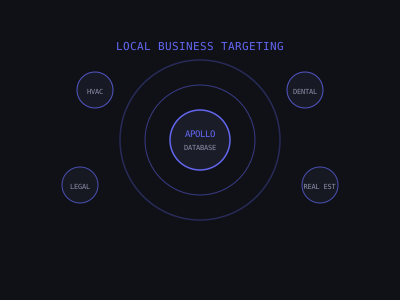
Apollo.io is the most widely used B2B contact database for cold email outreach, with over 210 million contacts and filtering capabilities that let you build highly targeted lists in minutes. For AI automation agencies and service providers targeting local businesses — HVAC, dental, law firms, real estate, and similar sectors — Apollo's combination of contact data, company filters, and email verification is the most cost-effective starting point available.
This guide covers every step of building a local business cold email list in Apollo: account setup, filter configuration, data quality checks, export, verification, and integration with your sending tool. It also covers the specific filter combinations that work by niche, the data quality mistakes that destroy deliverability, and how to track campaign performance back to your Apollo filters so you can improve with every campaign.
Apollo.io Pricing: What You Actually Need for Local Business Outreach
Apollo offers a free plan with 50 email credits per month — enough to test filters and check data quality, but not enough for real campaigns. For serious outreach, the paid tiers break down like this:
The Basic plan at $49 per month gives you 1,000 email credits and most People Search filters, but it lacks CSV bulk export. Without export, you are stuck adding contacts one at a time, which makes the plan essentially unusable for campaign-scale outreach. The Professional plan at $99 per month includes 2,000 email credits, full CSV export, advanced filters including Intent data, and direct integrations with sending tools. This is the recommended starting tier for anyone running real outreach to local businesses. The Organization plan at $149 per seat per month adds team features, higher credit limits, and advanced sequencing inside Apollo — useful for agencies managing multiple client campaigns but not necessary for solo operators.
One critical operational detail: Apollo credits are consumed when you "reveal" a contact's email address. If you export a list to CSV, those credits are spent and non-refundable. Build your filters carefully and spot-check your results before revealing at scale.
People Search vs. Company Search: Start With People
Apollo has two primary search modes. For local business outreach, always start with People Search rather than Company Search. Company Search returns a list of businesses without individual contact data — you then have to dig into each company to find the right person. People Search surfaces the specific decision-maker at the specific type of company in one query, which is dramatically more efficient.
The only scenario where you should use Company Search first is when you want a target account list and then need to find multiple contacts per account. For example, if you are selling a higher-ticket service and want to reach both the owner and the office manager at a dental practice, build the company list first and then surface multiple contacts per account.
Setting Up Your Core Filter Stack for Local Businesses
In Apollo, navigate to People Search. These are the foundational filters for local business targeting:
Job Title: Target owners, founders, and operators directly. Search for "Owner," "Founder," "President," "Managing Partner," and "CEO." Avoid "Manager" as a primary title — in small local businesses, managers often do not have buying authority. For industries where the owner also has a professional title (dentists, lawyers, doctors), add the professional title as well.
Industry: Apollo uses NAICS/SIC codes for industry classification. Filter to your target niche specifically rather than broad industry categories — the more precise your industry filter, the less cleanup you need to do after export.
Location: Target one city or metro area per campaign. Mixing multiple cities reduces personalization quality and makes campaigns significantly harder to manage. When you are ready to scale, run each city as its own campaign with its own list.
Company Size: For local businesses, filter to 1-50 employees. Businesses over 50 employees typically are not "local SMB" targets — they have different buying processes, different decision-maker structures, and often require longer sales cycles.
Email Status: Filter to Verified emails only. Apollo shows a confidence score for each address. Filtering to verified addresses significantly reduces your bounce rate and protects your sending domain reputation.
Apollo Filter Quality vs. Campaign Performance
Exact Filter Combinations by Local Business Niche
Generic filter advice only goes so far. Here are the specific Apollo configurations that work for the most common local business niches:
HVAC and Home Services
Industry: Specialty Trade Contractors (NAICS 238). Job Title: Owner, President, Founder. Company Size: 1-25 employees. Location: target city. Email Status: Verified only. The 1-25 employee cap is important — larger HVAC companies have procurement processes that do not respond to cold email the same way small owner-operated shops do.
Dental Practices
Industry: Offices of Dentists (NAICS 621210). Job Title: Owner, Dentist, Practice Owner, Principal Dentist. Company Size: 1-20 employees. Location: target city. Email Status: Verified only. In dentistry, the owner is often the treating dentist — Apollo sometimes classifies their title as simply "Dentist." Include that title variant to avoid missing solo practitioners who are your best-fit prospects.
Law Firms
Industry: Legal Services or Offices of Lawyers (NAICS 5411). Job Title: Owner, Managing Partner, Founding Partner, Partner. Company Size: 1-30 employees. Location: target city. Email Status: Verified only. Exclude firms with 50+ employees — anything approaching BigLaw size is a completely different buyer with a completely different sales cycle.
Real Estate Agencies
Industry: Real Estate Agents and Brokers (NAICS 5312). Job Title: Owner, Broker-Owner, Principal Broker, Founder. Company Size: 1-30 employees. Location: target city. Email Status: Verified only. Note that individual agents are employees of brokerages — target the brokerage owner, not individual agents, unless your product is specifically sold to individual agents rather than the brokerage.
Med Spas and Aesthetics
Industry: Beauty Salons or Health and Personal Care Stores. Job Title: Owner, Medical Director, Founder, Clinic Owner. Company Size: 1-20 employees. Location: target city. Email Status: Verified only. Med spas are frequently miscategorized in Apollo — test both the Beauty Salons and Health Care industry buckets and see which returns more accurate results in your specific target market before committing to a filter set.
Using Intent Data to Upgrade List Quality
Apollo's Intent filters, available on Professional and above plans, show which companies are actively researching specific topics based on web browsing data aggregated from third-party partners. This is one of the most underused features for local business outreach.
After setting your standard filters, add an Intent filter for topics relevant to your service. If you are selling AI follow-up automation to HVAC companies, search for intent topics like "CRM software," "lead management," or "customer follow-up." Apollo will surface businesses where people have recently been browsing content in those categories, indicating they are actively thinking about the problem you solve.
Intent-filtered lists typically show meaningfully higher reply rates than standard lists because you are reaching prospects who are already in a buying mindset for the category. The tradeoff is list size — intent filtering reduces your result count significantly. A practical approach: build two lists from the same base filters. One with intent filters applied becomes your high-personalization A-list campaign. One without intent filters becomes your standard B-list campaign. Compare reply rates after running both and let the data guide your future filter strategy.
Checking Data Quality Before You Spend Credits
Before revealing contact emails at scale, spot-check your data quality manually on a sample of 20-30 companies. This takes 15-20 minutes and prevents you from burning hundreds of credits on a bad list.
The spot-check process: take the first 20-30 companies in your Apollo results and search each company name on Google Maps and LinkedIn. For each one, verify: Does the company actually exist and appear to be actively operating? Is the employee count roughly what Apollo reports? Does the person Apollo shows as owner actually appear to be the owner based on their LinkedIn profile or the company website?
If more than 20% of your spot-checked companies have data accuracy issues — wrong title, company closed, wrong size — your filter combination needs refinement before you export. Tighten your industry code, adjust the company size range, or add keyword exclusions and re-spot-check before revealing.
Also manually verify 10-20 email addresses using NeverBounce or ZeroBounce before exporting the full list. If more than 5% of this sample bounces, the full list likely has widespread quality issues that will damage your sender reputation if you send at scale.
Finally, filter out role-based email prefixes: info@, contact@, hello@, support@, sales@, admin@. These produce high bounce rates and near-zero reply rates even when technically deliverable. Most email verification tools flag role-based addresses automatically — make sure you are removing them from every list before sending.
Exporting and Naming Your Lists
Once satisfied with list quality, export to CSV. At minimum, select these fields for cold email outreach: First Name, Last Name, Email Address, Job Title, Company Name, Company Website, City, State, Industry, LinkedIn URL, Employee Count. The LinkedIn URL field is particularly valuable if you plan to enrich your list with Clay for AI-personalized first lines.
Export in batches of 1,000-2,500 contacts. Very large exports are harder to manage and often contain more data quality issues at the edges of the filter set. For local business outreach targeting a single city and niche, a focused list of 300-800 verified decision-makers typically outperforms a sprawling list of 3,000+ loosely filtered contacts.
Name your CSV files with the niche, city, and date — for example, HVAC-Dallas-Mar2026.csv. When you are running multiple campaigns simultaneously, clear naming prevents the nightmare of accidentally re-contacting prospects from a previous campaign or uploading the wrong list to the wrong campaign.
List Size vs. Reply Rate — Agency Patterns
Email Verification Before Sending
Even though Apollo marks emails as verified, run every exported list through a third-party verification tool before uploading to your sending platform. Apollo's verification is real-time at the point of data collection, but addresses go stale as people leave companies and businesses close. NeverBounce and ZeroBounce both charge approximately $0.003-$0.008 per verification — for a list of 1,000 contacts, that is $3-$8, a trivial cost compared to the deliverability damage a high bounce rate causes.
Remove all addresses marked as Invalid, Catch-All with low confidence, Disposable, or Spam Trap. For Catch-All addresses, where the mail server accepts all email regardless of whether the specific mailbox exists, exercise judgment. If more than 40% of your list is Catch-All, consider excluding them — actual bounce rates on Catch-All addresses vary wildly by domain and cannot be predicted without sending. A clean list should show fewer than 3% undeliverable addresses across the segments you send to.
Importing Into Your Sending Tool and Segmenting by Sub-Niche
After verification, import the cleaned CSV into your sending tool — Instantly, Smartlead, or Lemlist are the most commonly used for cold email at scale. Map the Apollo CSV fields to your email template variables. At minimum you need first name, company name, industry or niche, and city for basic personalization.
A common and costly mistake at this stage: uploading the entire CSV directly to your sending tool without creating audience segments first. Instead, split your list by sub-niche or city before uploading and run each segment as its own campaign with tailored copy. An HVAC-specific email that mentions missed service call follow-ups will outperform a generic "I help service businesses" message by a significant margin. The extra 20 minutes spent segmenting your list before uploading is one of the highest-ROI investments in the entire campaign setup process.
If you are using AI personalization, export your verified list to Clay for enrichment before uploading to your sending tool. Clay can pull additional data signals from each prospect's website, LinkedIn, and Google Maps listing to generate personalized first lines. For a full walkthrough of this process, see our guide on personalizing cold emails at scale with AI.
Tracking List Performance Back to Your Apollo Filters
Most people build a list, send a campaign, and then lose the connection between their Apollo filter choices and the campaign results. This makes it impossible to systematically improve. Set up a simple tracking spreadsheet with one row per campaign. For each campaign, log the Apollo filter settings used (niche, location, company size, title keywords, intent topics if used), the export date, list size before and after verification, open rate, reply rate, and meetings booked.
After running 5-10 campaigns, patterns emerge. Filter combinations that consistently produce better results become your standard templates. Niches where Apollo data quality is lower get flagged for manual enrichment before sending. You will also likely find that smaller, tighter lists consistently produce higher reply rates than large loose lists from the same niche — which should push your filter strategy toward precision over volume.
Track meetings booked in addition to reply rate. Sometimes a list with a lower reply rate produces more qualified meetings because the filter combination attracted higher-fit prospects. Reply rate alone does not tell the full story of whether an Apollo filter combination is working.
Common Apollo Mistakes That Damage Campaign Performance
Revealing contacts before finalizing filters. Apollo credits are spent when you reveal an email. Many users reveal contacts as they browse results, then realize their filters were wrong. Always finalize your filter combination, spot-check 20-30 records manually, and only then reveal and export. Save your filter combination as a saved search in Apollo so you can refine it without starting from scratch.
Re-exporting stale saved searches. If you built a saved search months ago and re-export from it, you get the same contacts — not new ones who have since been added to Apollo. Update your date filters or rebuild the search fresh every 60-90 days to capture new leads in your target niche.
Not excluding previously contacted prospects. Apollo does not automatically know who you have already emailed through external tools. Before each new export, deduplicate your new list against your sending tool's existing contact list. Re-contacting prospects from a previous campaign looks disorganized and generates immediate unsubscribes.
Treating the raw Apollo export as send-ready. Apollo is a starting point, not a finished product. Every export needs verification, and ideally enrichment and segmentation, before it reaches your sending tool. Agencies that add even a basic verification step consistently see better deliverability and higher reply rates than those who send raw Apollo exports directly.
For a complete guide to building local business lead lists without paid tools, see how to build a cold email lead list from scratch for free. For the full cold email infrastructure setup, see our cold email infrastructure guide.
Building a great list is only the first step. Ciela AI helps AI agency owners build the LinkedIn presence and outbound content strategy that makes prospects already know who you are before your cold email lands in their inbox. When your cold email arrives from someone who showed up in their LinkedIn feed last week, reply rates improve dramatically. Get started at ciela.io.
Join 215+ AI Agency Owners
Get free access to our all-in-one outreach platform, AI content templates, and a community of builders landing clients in days.