
LinkedIn Profile Optimization Guide for Getting AI Agency Clients in 2026
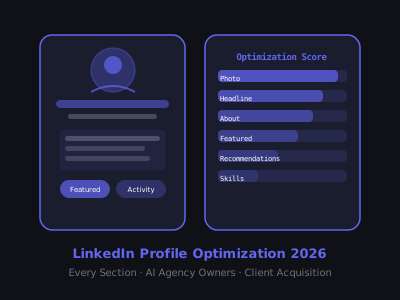
When a prospect receives your connection request or DM, the first thing they do is visit your profile. What they see in the next 8 seconds determines whether they accept, ignore, or block you. A poorly optimized LinkedIn profile wastes every outreach effort you make — a well-optimized one converts cold strangers into warm leads before you even send a message.
Think about the math behind this. If you send 50 connection requests per day and your profile converts 15% of visitors into accepted connections, you get roughly 7-8 new connections daily. But if you optimize your profile and push that conversion rate to 35%, you get 17-18 new connections from the same effort. Over 30 days, that is the difference between 225 and 525 new connections in your target market — without changing a single word in your outreach messages. Every percentage point of profile conversion rate multiplies everything downstream: more connections, more conversations, more booked calls, more closed deals.
This guide walks through every section of your LinkedIn profile with specific optimization instructions for AI agency owners — including what clients actually look for, what to avoid, and real examples of copy that works. Follow it section by section, and you will have a profile that does selling work for you around the clock.
Section 1: Profile Photo
Your profile photo is the first thing people see — in search results, in DMs, in comment sections. It needs to do one job: make you look like someone worth talking to professionally. This is not vanity. It is a trust signal that operates at the subconscious level before anyone reads a single word on your profile.
- Use a headshot, not a lifestyle photo: Face takes up 60%+ of the frame
- Natural lighting: Outdoors or near a window — avoid flat indoor lighting
- Neutral or slightly blurred background: Nothing distracting
- Smile or at minimum a confident expression: Approachability matters in sales
- Dress at the level of your client: If you sell to executives, dress professionally. If you sell to startup founders, business casual is fine.
Profiles with professional headshots get 14x more views than those without, according to LinkedIn's own data. This is the highest-ROI 30-minute investment you can make in your profile.
A common mistake AI agency owners make is using their company logo as a profile photo. Logos belong on your company page, not your personal profile. People connect with people, not brands. A headshot builds human rapport in a way that no logo ever can. If you do not have a professional headshot, use your smartphone with portrait mode in front of a window during golden hour. The result will outperform 90% of LinkedIn profile photos.
One more detail most people miss: check how your photo looks as a tiny circle. That is how it appears in comment sections, DM threads, and search results. If your face is too small, or the background is too busy, the thumbnail version becomes unrecognizable. Crop tight. Keep it simple. Your face should be immediately identifiable at 40 pixels wide.
Section 2: Banner Image
The banner (background image) is the most underused credibility signal on LinkedIn. Most people leave the default blue gradient — which immediately signals that they haven't thought about their profile as a marketing asset.
Your banner should communicate your niche and value prop in 3 seconds or less. Effective banner approaches for AI agency owners:
- A clean graphic with your core value statement (e.g., "AI Automation for B2B Service Businesses")
- A before/after result with a number (e.g., "Our clients book 3x more meetings without adding headcount")
- Your agency logo + tagline on a dark background
Use Canva. The LinkedIn banner dimensions are 1584 x 396 pixels. Keep text large enough to read on mobile.
Here is a framework for designing a high-converting banner in under 15 minutes. Open Canva and search for the LinkedIn banner template. Choose a dark background — dark navy, charcoal, or black works well because it contrasts with LinkedIn's white interface. On the left side, place your agency name or logo. In the center, write your primary value statement in large, bold white text. On the right side, add a supporting element: a client result number, a client logo strip (with permission), or a simple icon representing your service. That is it. Three elements, clean layout, readable at any size.
Avoid these banner mistakes: stock photos of generic cityscapes or handshakes, overly complex designs with five different fonts, banners that look good on desktop but are unreadable on mobile (over 60% of LinkedIn browsing happens on phones), and banners with no text at all. Your banner is free advertising space. Treat it like a billboard — one clear message, large text, strong contrast.
Section 3: Headline
Your headline appears under your name everywhere on LinkedIn — in search results, in DM inboxes, when you comment on posts. It's the most-read piece of copy on your profile and most people waste it with their job title.
Weak headline: "AI Automation Specialist | Founder at [Agency Name]"
Strong headline: "I help B2B service companies automate follow-up & lead nurturing → 30-50% more booked calls without extra hires"
The strong version names the buyer (B2B service companies), names the problem (follow-up & lead nurturing), and states the outcome (30-50% more booked calls). It also includes relevant keywords that appear in search.
LinkedIn gives you 220 characters for your headline. Use most of them. Include 2-3 keywords your ideal clients might search for.
Here is a headline formula you can adapt to any niche. Start with "I help" followed by your specific ICP, then the problem you solve or the method you use, then an arrow or pipe character, then the measurable result. Some concrete examples for different AI agency niches:
- "I help dental practices automate patient follow-up & booking → 40% fewer no-shows, zero manual calls"
- "I help roofing contractors respond to every lead in under 2 minutes with AI → more estimates booked, no extra staff"
- "I help ecommerce brands automate customer support & order tracking → 60% fewer support tickets"
- "I help SaaS companies build AI-powered onboarding flows → 2x trial-to-paid conversion"
Notice each example follows the same structure: specific audience, specific problem, specific outcome with a number. The number does not need to be exact — a range like "30-50%" or a directional claim like "2x" works well. What matters is that the reader instantly understands who you serve and what they get.
One advanced tactic: test different headlines over 2-week periods and track your profile view count (visible in the LinkedIn analytics dashboard). When you find a headline that consistently pulls more views, lock it in. Small wording changes — switching from "businesses" to "companies" or from "automate" to "streamline" — can produce surprisingly different results because they affect which searches surface your profile.
Section 4: About Section
The About section is your most powerful conversion tool. We've written a dedicated guide on this — see our post on how to write a LinkedIn About section that attracts clients for the full 6-part formula with examples. The short version: lead with their problem, not your story, and always end with a specific CTA.
That said, here are the critical principles worth emphasizing. LinkedIn only shows the first 2-3 lines of your About section before the "see more" fold. Those opening lines are everything. If they read like a resume introduction — "I am a passionate entrepreneur with 5 years of experience in AI and automation" — nobody clicks to read more. Instead, open with a statement that speaks directly to the reader's pain. Something like: "If your sales team is losing deals because leads go cold waiting 24+ hours for a follow-up call, you are leaving six figures on the table." That line earns the click.
After the hook, structure the rest as problem, solution, proof, and CTA. Describe the pain your clients experience using their exact language — not industry jargon, but the words they use in conversations. Then explain what you do in plain terms, focusing on the transformation rather than the technology. Follow that with 2-3 specific results: revenue generated, time saved, conversion rates improved. End with a clear next step: "Send me a connection request and mention [specific thing] — I will respond within 24 hours."
Avoid writing your About section in the third person. It reads like a press release and creates distance. First person is warmer and more direct. Also avoid listing every tool, platform, and technology you know. Your prospects do not care whether you use n8n, Make, or Zapier. They care whether you can solve their problem.
Section 5: Featured Section
The Featured section sits prominently below your About section and lets you pin up to 5 items. Most AI agency owners either leave this empty or pin random posts. Use it strategically:
- Pin 1: A case study or result (a post, article, or external link to a detailed outcome)
- Pin 2: A piece of content demonstrating your expertise (a carousel, video, or article with high engagement)
- Pin 3: A link to your website, booking page, or free resource that captures leads
Prospects who visit your profile after receiving an outreach message will scroll to this section. Give them 3 reasons to believe you before they even reply.
The order matters. LinkedIn displays Featured items left to right, and most people scan only the first 2-3. Put your strongest proof first. A case study post that shows a specific client result — "How we helped [niche type] company reduce lead response time from 4 hours to 90 seconds" — is almost always the strongest first pin. It does three things at once: proves you have clients, proves you deliver results, and demonstrates that you operate in their industry.
For your second pin, choose content that demonstrates depth of knowledge. A carousel breaking down a specific automation workflow, a video walkthrough of a system you built, or a long-form post analyzing a trend in your niche all work well. The goal is to shift the prospect's mental model from "this person is trying to sell me something" to "this person actually knows what they are talking about."
For the third pin, make it easy for the prospect to take action. A direct link to your Calendly or booking page works, but a lead magnet often converts better — something like a free audit template, an ROI calculator, or a short PDF guide specific to their industry. The lead magnet gives them a low-commitment way to engage with you, and it puts them into your pipeline.
Update your Featured section every 90 days. Remove content that no longer reflects your best work or most current niche. If a pinned post has low engagement, swap it for something that performed better. Your Featured section is a living portfolio, not a static archive.
Section 6: Experience
Your experience section should not read like a resume. Each role description is an opportunity to demonstrate outcomes and build credibility. For your current agency or freelance role:
- Lead with what you do for clients, not what your company does
- Include 2-3 specific client results with numbers
- Name the types of clients you serve and the problems you solve
- Keep it under 150 words per role — LinkedIn visitors skim
For previous roles: include only what's relevant to your current positioning. If you worked in sales previously, highlight that — sales credibility matters to clients evaluating an agency. If a role is unrelated, a single line is sufficient.
Here is what a strong current-role description looks like for an AI agency owner: start with a one-line summary of who you serve and the core outcome you deliver. Then list 2-3 bullet points, each containing a specific result with a number. For example: "Built an AI-powered lead response system for a mid-size roofing company that cut average response time from 6 hours to 47 seconds, resulting in 38% more estimates booked in the first 60 days." Each bullet should read as a mini case study — industry, system built, measurable result.
A subtle but important detail: your job title in the Experience section carries significant weight in LinkedIn search. Instead of listing your title as "Founder" or "CEO," use something keyword-rich and descriptive like "AI Automation Consultant — Helping [Niche] Companies Automate Lead Follow-Up & Booking." This helps your profile appear when prospects or referral partners search for terms related to your service. LinkedIn treats the title field as a high-priority search element, similar to the headline.
Section 7: Skills and Endorsements
Skills are a keyword optimization tool as much as a credibility signal. LinkedIn's search algorithm uses skills to surface profiles. Pin your top 3 skills strategically:
- Pick skills that your ICP would search for (e.g., "Marketing Automation," "AI Implementation," "Lead Generation")
- Ask 5-10 trusted connections to endorse these specific skills
- Endorse others' skills proactively — many will reciprocate
Beyond the top 3, fill out the full 50-skill limit on your profile. Think of it as SEO for LinkedIn. Include a mix of broad industry terms ("Business Process Automation," "CRM," "Sales Operations") and specific technology terms ("Chatbot Development," "Workflow Automation," "API Integration"). The broader terms help you appear in general searches. The specific terms help you appear when someone is looking for exactly what you offer.
To build endorsements efficiently, use the reciprocity approach. Spend 20 minutes endorsing the top 3 skills of 15-20 connections in your network. Many of them will see the notification and reciprocate within a few days. Do this once a month for three months and you will have a solid endorsement base. Focus your endorsement requests on your top 3 pinned skills — those are the ones that appear most prominently on your profile.
Section 8: Recommendations
Recommendations are the most underutilized trust-builder on LinkedIn. A single well-written recommendation from a recognizable client or employer is worth more than 50 endorsements. Target having at least 3 recommendations visible on your profile.
How to get recommendations without awkwardness: after delivering a successful project, send a message: "I'm working on building my LinkedIn presence — would you be willing to write a short recommendation based on the project we did together? Happy to write one for you as well." The reciprocity offer dramatically increases the yes rate.
If you're new and don't have client recommendations yet, recommendations from past employers, colleagues, or collaborators also build credibility. Something is always better than nothing.
Here is how to make the recommendation request even easier for the other person: include a few bullet points they can reference. Something like: "If it helps, here are a few things you could mention — the lead response automation we built, the 40% improvement in booking rate, and how the project was delivered in under two weeks." Most people want to help but struggle with what to write. Giving them prompts produces better recommendations faster.
The quality of your recommendations matters more than the quantity. A recommendation that says "Great to work with, highly recommend" does almost nothing. A recommendation that says "They built an AI system that cut our lead response time from 3 hours to under 2 minutes, and we booked 35% more appointments in the first month" is a conversion machine. If a recommendation is vague, it is acceptable to politely ask the person to add specific details. Frame it as making the recommendation more useful for both of you.
Section 9: Creator Mode and Content Strategy
Enabling LinkedIn Creator Mode changes your profile layout to prioritize your content and adds a "Follow" button alongside the "Connect" button. For agency owners who post content regularly, Creator Mode amplifies reach.
Turn it on if you post at least 3x per week. If you're not posting yet, skip it — a Creator profile with no recent content looks worse than a standard profile.
When you enable Creator Mode, LinkedIn asks you to choose up to 5 topic hashtags that appear on your profile. Choose these carefully. They should align with what your ICP cares about, not what you find interesting. For an AI agency targeting local service businesses, strong topic choices would include #AIAutomation, #LeadGeneration, #SmallBusiness, #SalesAutomation, and #BusinessGrowth. Avoid overly technical topics like #MachineLearning or #NeuralNetworks unless your clients are technical buyers.
Creator Mode also changes the default action button on your profile from "Connect" to "Follow." This is a double-edged sword. Followers see your content in their feed, which builds awareness over time. But if your primary goal is direct outreach, you may want the friction-free "Connect" button instead. Test both modes for 30 days each and compare your connection acceptance rate and inbound message volume. The right choice depends on your specific strategy — content-led growth favors Creator Mode, outreach-led growth may perform better with it off.
The Profile Audit Checklist
Run through this checklist before launching any outreach campaign:
- Professional headshot (face fills 60%+ of frame)
- Custom banner communicating niche and value prop
- Headline leads with buyer outcome, not job title
- About section starts with prospect's problem (not your story)
- About section ends with a specific CTA
- Featured section has at least 2 pins (case study + content)
- Current experience role describes client outcomes, not company description
- At least 3 skills pinned with endorsements
- At least 1 recommendation visible
- Profile URL customized (linkedin.com/in/yourname)
- Contact info includes website or booking link
Print this list out or keep it in a note. Every time you update your profile, run through it. And before every new outreach campaign targeting a different niche or vertical, revisit your headline, About section, and Featured pins to make sure they speak directly to that specific audience. A profile optimized for dental practices will not convert roofing contractors at the same rate. Tailoring takes 15 minutes and can double your response rates.
What Clients Actually Look for When They Visit Your Profile
Based on conversations with B2B buyers who receive cold outreach, the profile elements that most influence their decision to respond:
- #1 — Mutual connections: If they see 3+ shared connections, response rates increase dramatically. Build your network deliberately in your target industry.
- #2 — Relevant experience: Have you worked with companies like theirs before? Specific industry references in your profile are powerful.
- #3 — Concrete results: Numbers. Percentages. Specific outcomes. Vague claims don't build trust.
- #4 — Recent activity: A profile with recent posts signals that you're active and credible. A profile last updated 3 years ago raises questions.
Here is how to use this knowledge practically. For mutual connections: before you start outreaching in a new niche, spend 2-3 weeks connecting with people in that industry — not prospects, but adjacent professionals like consultants, vendors, and association members. When your actual prospects see 5-10 mutual connections, you instantly look like an insider rather than an outsider trying to sell something.
For relevant experience: if you have done work in the prospect's industry, make sure it is visible above the fold. Mention the industry by name in your headline, About section, and current role description. If you have not done work in their specific industry yet, find the closest adjacent experience and lead with that. "We automated lead follow-up for service businesses including HVAC, plumbing, and electrical contractors" covers a wide range of home services verticals with one line.
For concrete results: always express results as before-and-after transformations with numbers. "We helped a client improve their operations" is invisible. "We cut lead response time from 4 hours to 90 seconds and increased booked appointments by 38% in 60 days" is memorable and credible. Even if you cannot share client names, you can share anonymized metrics. Do this consistently across every section of your profile.
For recent activity: you do not need to become a full-time content creator. Posting 2-3 times per week and commenting thoughtfully on 5-10 posts daily is enough to maintain an active presence. The comments matter as much as the posts — every comment puts your name, headshot, and headline in front of a new audience. If you comment something insightful on a prospect's post before sending an outreach message, your acceptance rate will be significantly higher than cold outreach alone.
Common Profile Mistakes That Kill Your Outreach
Beyond what to do, here is what to stop doing immediately if you want your outreach to convert:
- Listing services instead of outcomes: "We offer chatbot development, workflow automation, and CRM integration" tells the prospect nothing about what they actually get. Reframe everything around the result the client experiences.
- Writing for peers instead of buyers: Technical jargon, tool names, and automation community buzzwords impress other agency owners but confuse the business owners who sign checks. Write at the reading level of your buyer.
- Having an empty or outdated activity feed: If your most recent post is from 6 months ago, prospects assume you are either inactive or struggling. Even reposting industry news with a short comment is better than silence.
- Using a company page as your primary presence: Company pages get a fraction of the organic reach that personal profiles do. Your personal profile should always be your primary marketing asset on LinkedIn. The company page is supplementary.
- Ignoring mobile formatting: Over 60% of LinkedIn users browse on mobile. Check your profile on your phone. If your banner text is unreadable, your About section is a wall of text with no line breaks, or your Featured images are cropped awkwardly, fix it immediately.
Connecting Profile to Outreach
An optimized profile is the foundation, but it only converts when combined with consistent outreach. For the full system that turns your profile into a lead generation machine, read our guide on LinkedIn outreach sequence templates for AI agencies.
The relationship between profile and outreach is a feedback loop. Strong outreach drives traffic to your profile. A strong profile converts that traffic into connections. Connections turn into conversations. Conversations turn into booked calls. If any link in that chain is weak, everything downstream suffers. Most agency owners focus entirely on the outreach message and neglect the profile, which is like perfecting your sales pitch while wearing a wrinkled suit. The message gets them to look; the profile gets them to respond.
And if you're still in the early stages of building your agency, our guide on how to start an AI automation agency in 2026 covers the complete go-to-market strategy from niche selection to closing your first clients.
Frequently Asked Questions
Want to learn how to build and sell AI automations? Join our free community. Join the free AI Automation Sprint community.
Join 215+ AI Agency Owners
Get free access to our all-in-one outreach platform, AI content templates, and a community of builders landing clients in days.